Thursday, May 15, 2014

How To Start With Bitcoin

First off, let's start off on why you shouldn't start out with Bitcoin (or any crypto-currencies for that matter).


-You want to get rich

If you think that crypto-currencies are an easy investment right now, you are like many other people out there. That being said, there is nothing really special about Bitcoin that give it value, and it has probably a better chance of going down in value than up. The fact that you have heard of it on the evening news, like most stocks, means you are too late to make any big money.

-You want to do something illegal

See the next point that shows why this is a bad idea.

-You want to be anonymous

Bitcoin is actually the exact opposite of a private, anonymous currency. As far as the currency is concerned you name is a hash number, and that number is published EVERYWHERE for anyone to see anytime. Bitcoin could be described as something closer to a car title, where it takes the buyer's name and the seller's name to change possession, but unlike a title, you don't get a new clean one each time it changes possession. Every time currency changes hands it adds another line with the new owner. The only way that this could be considered an anonymous currency is that you don't have to associate your real name or information in order to use the currency. So that means it is your job to make sure that the site you are buying from isn't checking your computer for identifying information or adding cookies so that it can identify you later. It is built on trust. That being said, if you wanted to do something illegal with Bitcoin, chances are you would get caught. An expert might not get caught, but if the leader of the Silk Road got caught, chances are they can catch you too if they wanted.

-You want your money to be safe

Crypto-currencies are incredibly volatile and prone to theft. Before when Grandma downloaded Flappy Fish and infected your computer, you might have lost your old school ROM collection or old homework assignments. Now, if Grandma invites hackers in, they get your wallet and everything in it, if you keep your wallet on your computer, that is. There is no way to reverse the transaction and finding them will be difficult if they are professionals. What has happened is your "bank" is now sitting on your hard drive with nothing but "Norton Security Suite" to have your back. If you want your money to be safe, give it to a real bank. On top of that, even if you pay a service to keep your coins safe, they might double in price tomorrow, or be worth nothing. One of those two.

-You want to make normal shopping easier

There are more and more stores taking Bitcoin, but getting started with Bitcoin is kind of a pain, as you will see later.

-You want to start mining

Just don't. Please. Unless you are looking to have fun and lose money, just don't.


Now that I have explained all of that, I have no attachment to money and quite like the smell of it burning, so much that I decided to throw some away after Bitcoins.


Buying Bitcoins


Safest way to do Bitcoin? Coinbase.com


Sign up with your email and a password. Take note of the current conversion rate in the upper right hand corner.
In order to verify your bank account you have two options. You can give them the keys to the kingdom immediately and type in your online banking credentials (which is typically a no-no) or you can wait 3-4 days for them to verify a deposit from your account.

Actually want to buy something with those coins now before they change in price? Sorry, that’s not going to happen. If you don’t pay with your credit card they will make you wait, again. For a digital currency company, they sure are waiting till they have the green in their hands.


Add a credit card if you don’t want to wait the 4 DAYS to get Bitcoins (click enable instant buy)


Throwing away your hard earned money


So when my Bitcoins do come in, where can I spend them? The list on Bitcoin.com used to be pretty sad, but now http://usebitcoins.info/ is nice and pretty, even if it still is a list of no-name companies.


But wait, TigerDirect accepts Bitcoins! (I have 4 days, maybe I should hold out for Newegg?)
But for some reason you still need to give them your name, address, and current location of all your valuables.
Better solution? Egifter.com / gyft.com
Both vendors will sell you instant electronic gift cards for Bitcoins on the spot, all you need is an email address and you are set. (They sell Amazon Gift cards, hint hint.)


That being said, like most merchants, TigerDirect gives you a USD total and converts it on the fly to BTC. Be careful though, if you take more than 15 minutes on TigerDirect, you will be forced to start all over.

Monday, September 30, 2013

Upgrade to 13.04 Crashes on Blueman, or Bug #1016942

Setting up blueman (1.23-1) ...
reload: Unknown instance: 
invoke-rc.d: initscript dbus, action "reload" failed.
dpkg: error processing blueman (--configure):
 subprocess installed post-installation script returned error exit status 1
Errors were encountered while processing:
 blueman
So I was upgrading my machine a few days ago after neglecting dist-upgrades for a while and realized that there was a new release out, 13.04 to be exact. I was running on Lubuntu 12.04 and enjoying it, but I was willing to take the plunge. My first mistake was I had left my system set for long term releases, so when I ran

$ sudo do-release-upgrade
my response was simply
Checking for a new ubuntu release  
No new release found  
after checking my /etc/update-manager/release-upgrades and finding that it had Prompt=lts all I had to do was change Prompt=lts to Prompt=normal and all was well.

For awhile.

During my update, I may or may not have pressed "ctrl-c" to break out of what I thought was a text editor, but was really something else that sent my break command to my release upgrade in progress. I had to reboot to come back to life. When I did, I was thankfully greeted with a login prompt, but no networking. I followed the commands from the previous post to get back on my feet, and then ran into this new issue. Upgrade crashes on blueman. So I run
$ sudo apt-get remove blueman
and
$ sudo dpkg --configure -a
$ sudo apt-get install -f
until I have everything installed and configured besides blueman and lubuntu-desktop . From here I was racking my head for days, until I came upon a nice little IRC log here. I had been going through the bug logs here and found the same error earlier, but nothing new. The IRC log recommended quite a few options, but the only one that did anything for me (and the only one I even tried for that matter) was
$ sudo service dbus restart
and then it worked like a charm! Whoever it was in that IRC chat, thanks!


Enabling Networking from Terminal in Lubuntu 12.04

I was running a "sudo do-release-upgrade" on my Lubuntu 12.01 laptop when durring a series of unfortunate events, I broke it. It rebooted and I was able to login, but no X session. Here is what I did to come back. I typed:


  1. sudo ifconfig eth0 up (in order to logically enable the interface)
  2. sudo ifconfig eth0 192.168.0.4 (to set the ip since dhcp wasn't working)
  3. sudo ifup eth0 (this should have turned dhcp on for eth0)
  4. vi dns.txt
  5. enter "nameserver 4.2.2.2" and save and quit
  6. cat dns.txt | sudo resolvconf -a eth0
  7. And you should be live!

Wednesday, March 6, 2013

Lenovo G555: Blank Screen On Boot

My uncle recently provided me with a Lenovo G555 that had what sounded like an overheating issue. Computer turned itself off, waited a few hours, and it would come back to life. We told him the basics about laptop care (don't leave laptop on soft surfaces, if necessary you can turn it upside down to allow airflow, that kind of thing.) When it got to us, it had been dead 3 days with no signs of coming back. For those of you who don't know how this ends, it isn't coming back. You would press the power button, and the fan would spin up, hard drive and cd/dvd drive would make noise, the power and charging light would even come on. But nothing (not even a lit black screen) would come up on the LCD, the HDD and Wifi light wouldn't light up, and the keyboard presses didn't seem to do anything at all.

To ensure it wasn't anything else, we:
-Pulled out the battery, ran it on AC power
-Plugged it into an external monitor
-Pulled out the hard-drive
-Put in a bootable DVD
-Pulled out the RAM and installed each on its own

and finally examined the motherboard for any telling signs. And that there were.
Full motherboard shot


From first sight there wasn't anything wrong.
Then I noticed some red looking stuff on the chip on the upper left hand corner (I had cleaned it before I took these pictures)


As you can see here, post rubbing alcohol, pre-screwdriver, something seems to have shorted here beside this capacitor.
Blurry picture post-screwdriver.


Capacitor after scraping off gunk with Flathead screwdriver

 Even after the cleaning there was no joy with this laptop, but from what I do know, some capacitors have a
shelf life, and if one has gone, others may as well without the fun show we see here (as well as they may be on the opposite side of the board) This laptop is fully dead. And at that point there's only one thing you can do: Check his pockets for loose change.

UPDATE 9/9/13:
After some research I found that a common issue with this computer is overheating that leads to warping of the motherboard and therefore the disconnection of the graphics chip. How did I find this? Lots of this laptop on Ebay with the same problem attributed to said problem as well as repair videos teaching re-flowing on this laptop. Just saying.

UPDATE 1/8/14
After thinking this one through a little more, I have decided that this is most likely an issue of overheating. Although there is what looks like a dead capacitor (if you didn't see it before, it was the middle black and silver square just to the left of the "large" black chip in the last photo. With all of the overheating symptoms that this computer problem started with, it seems more likely that the graphics chip is having issues than that one capacitor on the board dying. That being the case, when I get a chance, I plan to get a large toaster oven and follow the directions here to see if I can't fix this one. If I do, successfully or not, I will post my findings here. For more information on reflowing and this type of issue, look up the similar issue of the Xbox 360 RRoD (red ring of death). Many people will recommend terrible fixes including overheating the machine on purpose (bad idea, most things on the board don't like controlled heat.) and putting it in your oven after stripping it down (also bad idea, solder fumes are toxic, and you will want to cook food in there!), but there are good solutions, such as using a heat controlled hot air gun, using an electric skillet (that you won't use for food ever) or the toaster oven idea. Keep in mind that this is technically very difficult process and these methods are only given because your machine is ALREADY dead. You have very little to lose -- if you mess up, it's still dead. You could have it done professionally, but that would likely cost more than a new laptop or Xbox.

Tuesday, February 12, 2013

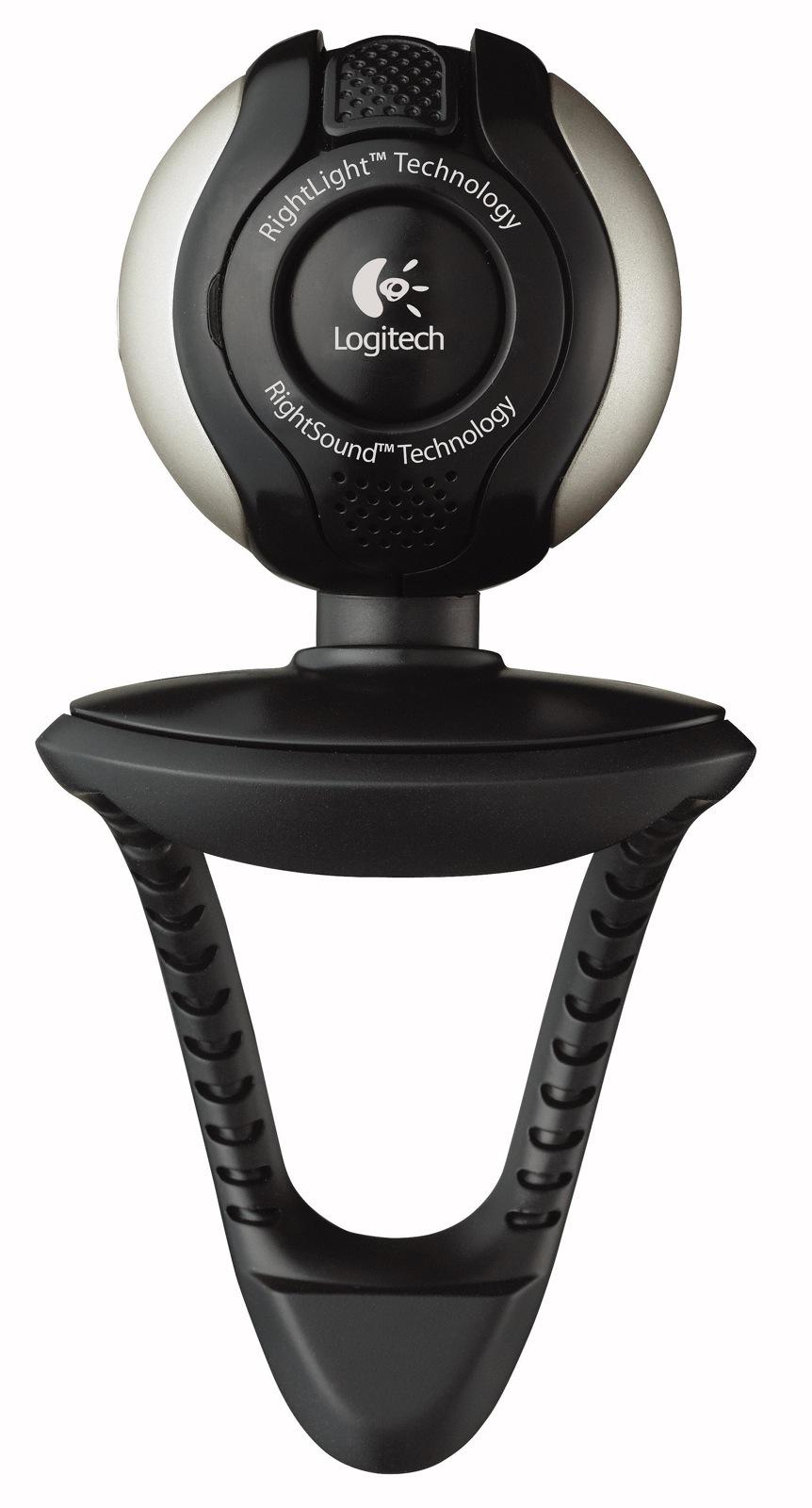
Logitech Quickcam STX Linux Driver


For anyone like me who is searching for the linux drivers for this webcam, look no further. There were at least 2 depreciated projects I went through before I got here, but lo and behold, this camera is supported out of box. Granted, that doesn't mean that it works with skype (it has been giving me trouble in both Lubuntu 12.04 and Windows XP), but you should be able to open VLC (not cheese, at least for me) and have it open right up from File > Open Capture Device, and then choosing /dev/video0. Hope that helps out both you and me for a later date. If someone got it working in Skype, let me know!

Monday, December 17, 2012

How to PrintScreen in Ubuntu(or Lubuntu)

In windows, it seems like PrintScreen is a basic, alongside the existence of dirt, rocks, and trees. But in Ubuntu (as far as I have experienced) is not so easy.

As my own Google search failed me, I will state the obvious to everyone else who didn't know like me.   There are 4 basic ways to do this

A) Gnome Screenshot Utility
B) The PrintScreen button
C) The shell (or terminal)
D) The GIMP

Gnome Screenshot

This one is pretty basic -- open your "start menu", go to accessories, then click "Take ScreenShot". That's it. From there you can play with the options.

PrintScreen Shortcut

This one isn't so simple, mostly because the functionality seems to be different than what one would normally guess. This is the one I wanted to use, as it is simple and I don't use Gnome. 

What I found was that PrintScreen works as expected, except that instead of copying to the clipboard the screen capture is saved to a .png file in your home directory ( /home/(your username) ). If you press Alt-PrintScreen, it should just capture the selected window at the time to that same place.

Shell

There seem to be quite a few options for this kind of thing, but the first and easiest I found was ImageMagick. Lots of places will give you a command like 

sleep 10; import -window root screenshot.png; gimp screenshot.png;

when you ask how to do this from terminal, but what they don't tell you is that most people probably don't have imagemagick installed already. For that you would need to 

sudo apt-get install imagemagick

to install. From there you can use that command which will (in order on the command) wait 10 seconds, capture from the "root window"(which is the whole screen), saves to screenshot.png, then opens up in gimp

If you run that command and get the "Import: command not found" issue, then you need to install/re-install imagemagick.

The GIMP

EDIT: This way of doing it is a way I found out much later, but now it is the only way I use.
Simply open up the GIMP (or if you don't have it under Graphics > GIMP Image Editor , simply run "sudo apt-get install gimp")


After GIMP loads, click File > Create > Screenshot. I'm sure you can figure it out from there.


Wednesday, December 28, 2011

Mini: Virus Aftermath Clean-Up (File Type Associations)

For Win 7 computers I found another resource for fixing file type associations in case a virus breaks them. If you are having this problem, what happens is you click on a link, but instead of opening the program the "Open file-type with what program" box pops up. You can trick it into opening the program you want by choosing it from the menu, but it is far from optimal. Solution? Well one is this. There is a post on SevenForums.com(which I am not very familiar with) which gives you a page of registry file downloads that will repair your default file type associations for Windows 7. I just downloaded the .exe and .lnk files, added them, and voila! Like a charm. Hope that helps!

Thursday, November 17, 2011

Less on the Tech Side - Restoring a Whiteboard

While I did spend most of  my day attached to a computer or sitting in class, at the end I got a little surprise gift. I call it a surprise because it wasn't supposed to be a gift. What I received was a 2'x3' white-board with marker on it that wouldn't come off (except by scratching directly). Well, I know I'm not the first one to have this issue, so off to google I went. And I came up with this.
I had:
  • An Ehow article describing how to clean a white-board, 
  • a rag, 
  • bottle of alcohol, 
  • Kaboom
  • about 15 minutes
  • a bottle of Orange Glo
  • not a bottle of multi-surface pledge  and
  • not shaving cream
First off I tried the isopropyl and the rag, and most of the marker came off. Where different colors of marker were used, there were light smears of color creating a colored backdrop. Not what I was going for. Next I tried Kaboom! the bath/tub/tile cleaner on it. I simply sprayed it on and quickly cleaned it off. This removed even more, but yet still not all. Next up I tried shaving cream, since it is just soap, not realizing that the 2 products before it were significantly stronger than it. Nothing happened except making my hands smell like Colgate with Aloe. I figured that it wasn't getting any cleaner, so I moved on. I dried it off (which took a little bit more off) and moved on to the pledge. The article recommends pledge, and I didn't have any of the original, so I sprayed the multi-surface pledge on the board, let it set, and wiped it clean. Nothing came off, and the board had a dry feeling to it. Since I know that pledge is a wood cleaner with oils for the wood, and that my teachers called white-boards grease-boards (not sure if they were right to do so, but that is neither here nor there) I decided to try the Orange Glo, which is a fancier(in my opinion) wood cleaner. Mine was the 2 in 1 type in case you would like to replicate my findings. Anyhow, I sprayed it on liberally, let it sit a few minutes, and rubbed it in with a paper towel. As I rubbed it in, the board began to turn white and the last of the marker began to come off, although with some effort. I rubbed it dry, and gave it a test drive. Perfect -- no stray marks or splotches of color. #win

Day's Roundup: E17 Debian Squeeze Stable

Fought tooth and nail for the last few days to get Enlightenment 17 installed, and finally won. Here are a few solutions that I used and needed, but the most useful one is here.

Gist:
Ok, here are the steps I followed. If I missed any details, please let me know so I can update this. Oh, and for the sake of this example, we'll use Debian Squeeze.
1) Install e17
   a) Download easy_e17.sh from http://omicron.homeip.net/projects/#easy_e17.sh
b) Install all the required packages as root or sudo:
    apt-get install subversion autoconf automake1.9 autotools-dev autoconf-archive gettext libtool libfreetype6-dev libjpeg62-dev libpng12-dev libtiff4-dev libungif4-dev libbz2-dev libltdl3-dev pkg-config libxine-dev build-essential flex bison byacc libxcursor-dev libcurl4-gnutls-dev libtag1-dev sqlite libxml2-dev libsqlite3-dev libxslt1.1 libxslt1-dev giblib1 giblib-dev libtool libtagc0-dev libmpd1 libmpd-dev libxcomposite-dev libxcomposite1 libxdamage-dev libxdamage1 libxkbfile-dev libxkbfile1 libxkbfile-dev libxkbfile1 libdbus-1-dev libtheora-dev libpopt-dev libglib2.0-dev libfontconfig1-dev libxrandr-dev libasound2-dev libxinerama-dev cvs automake libgstreamer0.10-dev menu menu-xdg xdg-utils liblua5.1-0-dev dbus-x11 libiptcdata-dev libexif-dev libpam-dev mesa-common-dev libudev-dev x-window-system slim
c) As root or sudo, run: bash easy_e17.sh -i (to install e17)
d) Follow the instructions at the end of the script's output
e) Set the path (the following steps are as the regular user): export PATH=\"$install_path/bin:\$PATH\"
f) Create /home/me/.xsession with 'exec /opt/e17/bin/enlightenment_start' (w/o quotes)
g) Create the symbolic link: ln -s ~/.xsession ~/.xinitrc  To start e17, do: startx

 A few things to mention, my e17_src folder kept on popping up in the root directory, so I went to the script and replaced $HOME with /home. Worked like a charm. Additionally I had to reconfigure my DM to recognize Enlightenment, and install xcb and a few other files I think. Have fun!

How to configure SLiM for Linux
Gist:
To configure SLiM to load a particular environment, edit your ~/.xinitrc to load your desktop environment:
#!/bin/sh

#
# ~/.xinitrc
#
# Executed by startx (run your window manager from here)
#

exec [session-command]
SLiM reads the local ~/.xinitrc configuration and then launches the desktop according to what is in that file. If you do not have a ~/.xinitrc file, you can use the skeleton file by:
$ cp /etc/skel/.xinitrc ~
Remember to make .xinitrc executable:
 chmod +x ~/.xinitrc
Replace [session-command] with the appropriate session command. Some examples of different desktop start commands:
exec awesome
exec dwm
exec startfluxbox
exec fvwm2
exec gnome-session
exec openbox-session
exec startkde
exec startlxde
exec startxfce4
exec enlightenment_start
exec ck-launch-session $ONE_OF_THE_ABOVE
To get automount to work it might be necessary to use something like e.g.:
exec ck-launch-session dbus-launch startxfce4

How to fix “X: user not authorized to run the X server, aborting.”

Gist:

In linux, by default root user is allowed to run X server in most cases. So you don’t face this issue while running “startx” as root user.
Basically the Xorg X server needs to be configured to to authorize this user. Where should we configure this?
/etc/X11/Xwrapper.config – This file has as setting called “allowed_users”. It can accept three values:
1. root
2. anybody
3. console
The above values are self explanatory. You can edit this value to set as anybody for normal user to start X server. If normal user starts X server from console, console can also be set. It can be like this.
allowed_users=anybody
In Debian and its derivatives like Ubuntu, you can run the following command to do it in user friendly screen as shown below.
# dpkg-reconfigure x11-common

How do you modify a user's home directory in Unix/Linux?

Gist:

1. Login as a user with sudo privileges.
2. Enter this command:
sudo nano /etc/passwd
3. Nano text editor opens up. Locate the username you would like to change the home directory of (the last added user is in the end), and just enter whatever directory you would like. For example, the home directory for the user jack is set to /home/jack in this file:

Wednesday, November 16, 2011

QuickFix

Error: visudo: sudoers.tmp is unchanged

Fix: my VISUAL element was wrongly configured and contained an invalid argument. Simply did "export VISUAL="leafpad" " and all was well

Friday, September 23, 2011

Unlock a Restricted PDF

So, for a very legitimate reason I had a locked PDF that I wanted to unlock. I didn't want to stick it to the man or free the world, I just wanted to copy and paste from this file. So a quick google search found a small myriad of the same program for sale across different websites. PDFUnlocker I think it was. Anyhow, here is the free way I found to do this. Here I found an online utility that will do it for free if A) your file is less than 5Mb (which you can split it into multiple files if needed) and B) you don't mind sending someone else your PDF file. Hope this helps!

http://www.pdfunlock.com/
Not the prettiest site, but it works as far as I can tell.

Tuesday, July 5, 2011

SMS Backup on the RIZR Z3

Now it may come as a shock to some people, but there are a few of us who prefer to backup old conversations. I can think of a few reasons to do so, which could be explained better here. Anyhow, one of my most intense issues as far as computers go have always been with transferring data, and usually from there from a mobile device to a desktop/laptop. It isn't because it is impossible, but in fact because the software quality is so low. It makes sense, in a business kind of way. If a new phone comes out every year, and the data ports use new and upgraded protocols for faster speeds and more docking capabilities, then new software will need to be written every year to translate the data to something usable. If new software must come out every year, more money can be made by writing new software for each device and not supporting the software from the old device. Therefore, the current device based software is terrible.

But beyond that, there are still choices out there for dumb phone backup. From what I have read, it seems that you cannot use P2K(the protocol) software to backup SMS, MMS, or phonebook contacts, and, at least in the motorola world, the only way to skin this cat is via AT mode. What is is? I'm not sure. Have I heard of it? Yes. Thats all. So what tools are open for this?

P2K Tools VS seems to have the functionality for this job, and can pull the contacts off like a champ. SMS on the other hand, not so much. It seems that it can handle downloading messages, just not very many. My RIZR can hold roughly 525 messages before it gets full, and the most I have successfully pulled off with P2K tools is roughly 100. This I did by deleting messages until it would no longer time out and crash the program and/or phone.

Motorola Phone Tools obviously has the ability to do this job, just it does it very badly. The interface is nice and clean compared to most of the basement apps that get written for this kind of thing, but MPT is unstable, heavy, and has most of the same issues that P2K Tools does, except for when it crashes, it crashes much harder. Additionally, after looking through my old logs, I found that MPT didn't actually download all the messages, it would cut off the last X messages and display no error or notification. Angering. But lo, what is that? The shining light on the horizon? Written in (Russian?)?

After scouring forums, searching for links, and fighting bad programming, I came upon Moto SMS Manager. Life.Saver. Pretty much, this is the only program I have tried that seems to work even most of the time. It seems like its been abandoned and forgotten, but it still works. I found this site here with a screenshot and download link (a .rar) to this program. If you decide to use this, you will realize quickly that A) it is in a foreign language (which can be changed by the third menu from the right) and B) if you run multiple instances (which has happened every time I have re-found it) it will throw some nasty looking memory exception error. But it works.

To get it to work, you change the language, restart the program, click the connect button, and then read. It will then pull all of the texts from your phone in very little time(for me, around 5 seconds). You then will want to hit "Save All". When you go to save it, you will probably want to change the template as the labels are in a foreign langage. Mine were "From/to" "Date" "Index" and "Message". Currently, the application doesn't seem to differentiate between sent and received messages, so the "From/to" seems to apply. I uploaded my to google docs (and did not let it convert it) and all was fine.


Enjoy!

Wednesday, April 6, 2011

Fun with Viri!

First of all, I do know that the plural of virus is not viri, but that really is the fault of Merriam-Webster not me. As we know America doesn't actually have a regulatory agency to standardize the language like many other countries do, so in all fairness I am doing my part to advance the evolution of the English language.

Back to the viri, I was given the opportunity to treat an XP computer that "was running really slow." If no one has told you already, allow me to inform you that diagnostically that means absolutely nothing. Nothing. Once I started up the computer and logged in, I realized the problem almost immediately. The computer booted slower than the hardware should have (roughly 10min for a 2.8ghz Pentium 4 with 1gb of RAM) and never fully loaded some windows components. The layers of command prompts were just the icing on the cake for my diagnosis.
 Viruses.

The computer was running too slowly to remove the viruses normally due to the rampant amount of programs running at the same time, not to mention the fact that all of the security and restore recourses had been disabled by at least one of the viruses on the computer.
rundll32.exe not found

Services disabled
(To fix the rundll32 error, look at my last post with the same title.)

So there I was with very few options, where could I turn? Well, I turned to linux. In this case I used the linux based Avira Rescue System which essentially scans and removes all viruses it finds.

All that is necessary to use it is to
1)Download the CD image
2)Use a burning program(like ImgBurn)
3)Set your BIOS to boot to the CD drive
4)Plug it in and let it run

In my case I let it run for roughly 12 hours unsupervised (I am fairly sure it didn't need nearly that much time) and returned to it to find that it had removed 72000 instances of viruses. Most of them were copies of a trojan that had copied itself nearly everywhere, but there were probably over 15 separate infections.

Once the scanner finished, I rebooted the computer, removed the CD, and let it try for Windows once more. Faster this time, but some of the infections had not been caught by the linux scanner and all of the security that was disabled was just that, disabled. How did I know? More command prompt popups. So first things first, I uninstalled McAfee Security Center (which had not been updated in quite awhile) and installed Microsoft Security Essentials. Why Essentials? It is free and not too heavy. I ran a scan with MSE and found another 90 or so infections and was able to remove them. Rebooted. Most of the 90 stayed gone, but more still remained.

I ran msconfig from the run dialog.

And found under the startup tab somewhere around 1000 unintelligible entries with file paths that directed to the "C\Documents and Settings\User\Local Settings\Temp\" folder (which is a common hideout/infection point for viruses).

The computer almost crashed from removing all of the entries at once, but it came back, just barely. I then ran Piraform CCleaner to delete the temporary files and hopefully get rid of this last set. I scanned with MSE after the clean and it reported with no detections. Sadly, I trusted that little green checkmark loitering on the screen.

After a reboot, all looked fine and good. After scanning through for a moment, the foreboding command prompts reappeared. In case you don't know, whenever those command prompts appear, it means that in the background some program is running code, likely undoing work one has just completed. 

I was done with this. I restarted the computer in safe-mode (which worked well at this point) and both installed Malwarebytes and ran a quick scan. 26 more threats (including trojans, viruses, and adware) were detected and quarantined. Happy with myself, I rebooted the computer and ran a full scan. 36 more threats removed.

Now to fix the damage caused. During the infection process, the entire control panel had been consecutively unlinked from the programs that the icons represented and disabled administratively. Thanks to google I found Re-Enable which did exactly what I needed it to. Between Re-Enable, CCleaner(for deleting all of those pesky startup entries) and Malwarebytes everything was back to normal. Just to be sure, I copied the I386 folder to the C:\ drive and ran "sfc /scannow" which made sure that no other system files had been corrupted or deleted. Once that was done, I could move on to the next and final pass-through.

After that I simply ran Windows Update, updated, scanned one more time, and deemed this machine clean!

One computer down, 10000 botnets to go.

Tuesday, April 5, 2011

The Good, the Bad, and the Capacitors

Clint Eastwood and I have been good friends for a long time now. But by friends I just mean I decide to like his movies despite their critical response. Especially anything made before he started looking over 50, which doesn't cover too much of his acting career honestly. Anyhow, recently I have been working on a few computers to fix them up. The first would be my uncle's.


Abit NF-M2S V 1.0
His computer, once fought with, decided that it no longer wanted to boot past the windows loading screen. My uncle was having one issue or another, reached safe mode, attempted a system restore which then rendered the computer unbootable -- even to safe-mode. An attempt to repair with a windows disk resulted in consistent BSOD's with the error of UNMOUNTABLE_BOOT_VOLUME going into windows and another about INITIALIZATION when trying to get into the windows setup area. After eliminating the video card, hard drive, dvd drive, and power supply, I decided the motherboard was at fault.
I probably could have jumped to that had I been more confident in my analysis of the motherboard in the first place, but skipping steps is always a bad idea in computer troubleshooting. Anyhow, look closely at that picture again. Yes, the close up on the capacitors.
Bulging Caps beside the CPU

Discolored Cap by the PCI Express Slot

Notice the nice little bulge on the tops of some, and the fun discoloration on one of the others? That was our problem. Dead caps == bad data between the CPU and the hard drive. Bad data == corrupted date == no boot. With a new motherboard from Newegg.com (represent.) most of our issues were resolved.
New Motherboard Installed

A chkdsk run on the hard drive inside another working computer brought it back to booting, and after installing the motherboard driver, life returned!

Tuesday, March 29, 2011

Rundll32.exe not found!!??

Pretty much just how it sounds. I was working on a computer that had been infested with viri and the entire control panel was kaput. Every time I tried to open up a system app(cmd.exe, msconfig, help and support) I would get the "rundll32.exe not found" error. After fighting and fighting, I found a solution. It seems this is a registry issue, so I followed the instructions here to

Simply follow the bellow step... ur problem will be solved
Try it.Click Start, Run. Type command and press Enter. Type notepad and press Enter.Notepad opens. Copy all the text below into Notepad.
Code: Select allWindows Registry Editor Version 5.00[HKEY_CLASSES_ROOT\exefile\shell\open\command]@="\"%1\" %*"


Save this as fix.reg to your Desktop (remember to select Save as file type: All files in Notepad.)Double Click fix.reg and click YES for confirm.Reboot your computer. 

Worked like a charm.

Tuesday, December 14, 2010

Victory Over Itunes (Or why Itunes skips podcasts in a playlist)

http://www.mariasguides.com/2006/09/26/podcast-playlists-no-longer-play-continuously/
Essentially here is the entire explanation of what I had to fight to search for and find, but hopefully it will help others.And Apple, there is nothing wrong with mixing podcasts with music. Period.

Thursday, July 22, 2010

Wifi with the Dell e1505

So there I was, running a fresh install of Ubuntu 9.10 Karmic Koala on a nice little Dell laptop when I realized something. The wifi (BCM4311 chip) was not being found. First I checked the network settings, and tried to add a network manually and looked for toggles for the wifi as I saw the light was not on and the Bluetooth was. A quick google search lead me indirectly to This Site which stated the files needed to get it all working dandy. Strangely, the files he mentioned didn't exist on the hard drive install, so I ventured over to Synaptic, and lo, there were the three files.

  1. /pool/main/p/patch/patch_2.5.9-5_i386.deb
  2. /pool/main/d/dkms/dkms_2.1.0.1-0ubuntu1_all.deb
  3. /pool/restricted/b/bcmwl/bcmwl-kernel-source_5.10.91.9+bdcom-0ubuntu4_i386.deb
I found each in synaptic, with only the last installed under a slightly different name, but the same version and type. I then installed the other two dependencies, and let her fly. Rebooted, went to System, Administration, Hardware Drivers, Ta-da! Just have to activate and it is good to go!

Monday, February 22, 2010

Windows Update Issues

Got an issue with Windows Update Installations? Best bet is a reinstall after a reboot. Updates don't redownload and fail again? Clear the update cache. How?

  1. Open Command Prompt by Start -> Run and type "cmd"
  2. On the Command Prompt, type "net stop wuauserv". This is done so that you will terminate the windows automatic update service to allow us to delete the cache files
  3. Still on the Command Prompt, type "cd /d %windir%" or "cd\windows"
  4. Type "rd /s SoftwareDistribution"
  5. Thats it, the cache has been purged. Now we need to restart the windows automatic update service again. To do that, type "net start wuauserv"
Not hard, quite simple. What are you doing? Deleting the folder C:\Windows\SoftwareDistribution\, and making sure that the Update service is stopped. That's it. Good luck.

Thursday, February 18, 2010

How to force HTTPS

I used to wonder why anyone would log in to Facebook, Myspace, or any of the other websites with personal information with HTTP. Every time I saw someone do it, I would let them know that with a simple packet sniffer just about anyone could read their messages, user and password, and plenty more that I'm sure that they would rather not show to the world. Sure, maybe that is a long shot to some of you that someone would be sniffing your traffic and even remotely care about what you are sending. Let me make it less of a long shot, from here on, think banking information and identity theft. Closer to home now? Most people either didn't know or didn't care it seemed. Well, after a stint on retyping HTTPS in the address bar every time I went to one of those sites, I realized that it was just simply a pain. Not the worst fate of all if Atlas is in the mix, but still, very agitating. Thus I began my search.After playing with some Firefox add-ons and some unsuccessful attempts at googling for the answer, I stumbled across the solution to my problem. NoScript. Really. I install this add-on every time I install Firefox for someone who won't get too messed up by it. And now I find that it is the response to one of my newest pet peeves. Awesome. Okay, so how do you do this? It's not too bad. Just right click the NoScript icon, go to options, then click on the Advanced tab, and then the HTTPS tab. Type in the websites that you would like to force HTTPS and those that you want to force HTTP. Easy. Done. That is all. Oh, quick note, don't force HTTPS for a site that doesn't have it. According to my in-depth Google search, that could lead to a bad un-ending loop. Just FYI.

Source:http://noscript.net/features

Thursday, December 10, 2009

Adventures in MegaVideo bypassing

As of right this minute, I actually have to wait for megavideo to run out of time. Fun. Actually it doesn't really matter if I had to or didn't, I needed to test the two circumvention tecniquies that I found on LifeHacker. Anyways, they posted two links.
Illimitux.net - Remove MegaVideo, Megaupload and Veoh limitation 
 MegaStreaming - MEGAVIDEO Unlimited Web Streaming
The first is a Firefox Addon (that loads the French addon page), which claims to do many types of circumvention including rapidshare and Megavideo, but as of right now, it doesn't work for MegaVideo. On the firefox addon page it received 3 stars, and each person cited on and off functionality of the addon, and at the moment I seem to be experienceing the latter.
Conclusion: Doesn't work well, I'm not going to use it.
Second one, just a link to another streaming site that tries to re-stream the video link. No joy, MegaVideo detected that I was over my limit immediately(as in after 2 seconds as usual) and I was unable to watch.
Conclusion: Didn't work, and I won't ever know if it did, but I'll assume that it doesn't.

Guess I'll just have to wait.